Report a mistake
We care about the accuracy of the Mushaf text and the differences. If you find a mistake on a page or in a way of reading, or you run into a problem in the app, please tell us. Every report is reviewed carefully.
From inside the app (easiest)
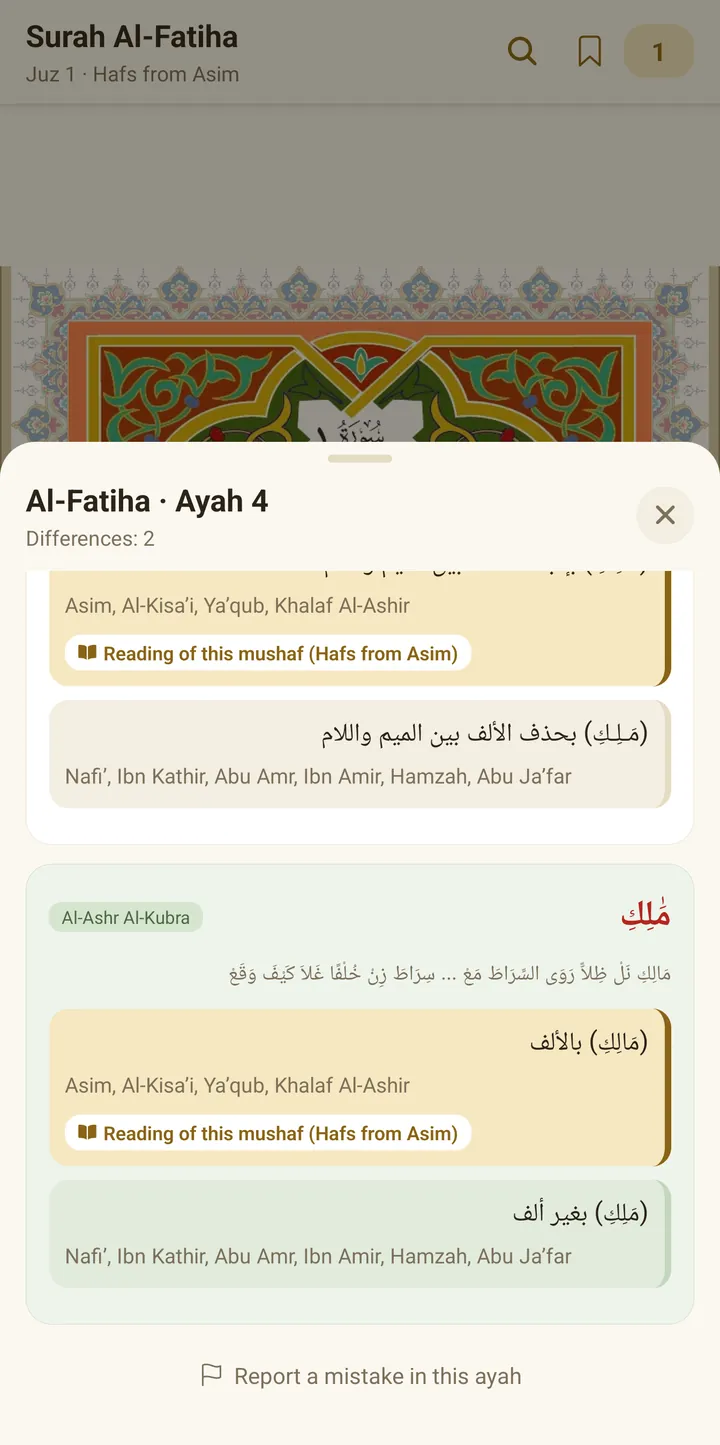
- Long-press the ayah to open the differences sheet.
- Scroll to the bottom of the sheet and tap “Report a mistake in this ayah”.
- A ready email opens with the surah name and ayah number. Write your note and send it.
Or email us directly
Or write to: aly.qiraat.app@gmail.com
What to write in the report
If the mistake is in the text or the differences:
- The surah name and ayah number.
- The riwaya you read.
- The word with the mistake.
- What you think is correct, and where you took it from if you can, such as a line of al-Shatibiyya or the Tayyiba, or a reliable book.
- A screenshot if you can.
If it is a problem in the app:
- What you did, and what happened. For example: “I tapped download for Warsh, and the download stopped at 40%”.
- Your device model and Android version.
- The app version, which you can find in Settings.
What happens next
We review the report and check it. If the mistake is confirmed, it is corrected in the next update of the app on Google Play.
The report is sent from your own email, and we use your address only to reply to you. See the privacy policy.